
- Home
- CBCT viewer
Free plan, no sign-up needed to try
A dental CBCT viewer in your browser
Simplified CBCT opens a cone-beam CT scan exported as DICOM. Scroll through linked axial, coronal and sagittal views, set the brightness for bone or teeth, and measure lengths and angles. Plus and Pro add a panorama, synthetic cephalograms and 3D.
- Scans open in your browser
- Works offline
- Phone, tablet or computer
What it does
You open the scan and choose where to look. The viewer keeps the three views together and measures what you mark.
Tools included
What you can do with a scan, and which plan each tool needs.
Three linked views
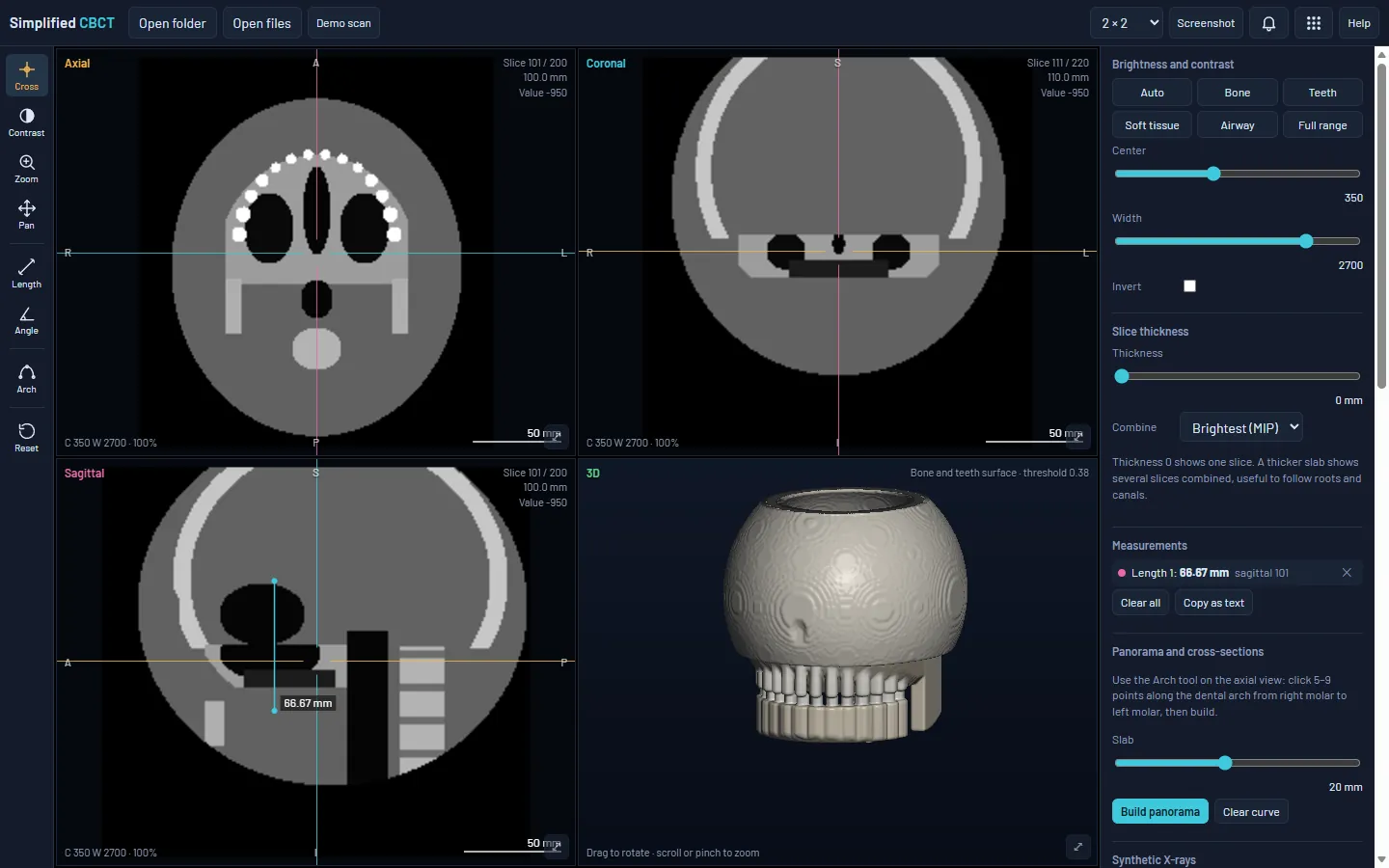
Axial, coronal and sagittal. Click or drag anywhere and all three views jump to the same point. Show them 2 × 2, 1 + 3 or one at a time.
Brightness and contrast
Presets for bone, teeth, soft tissue and airway, or set the window by hand. Invert for a film look.
Length and angle
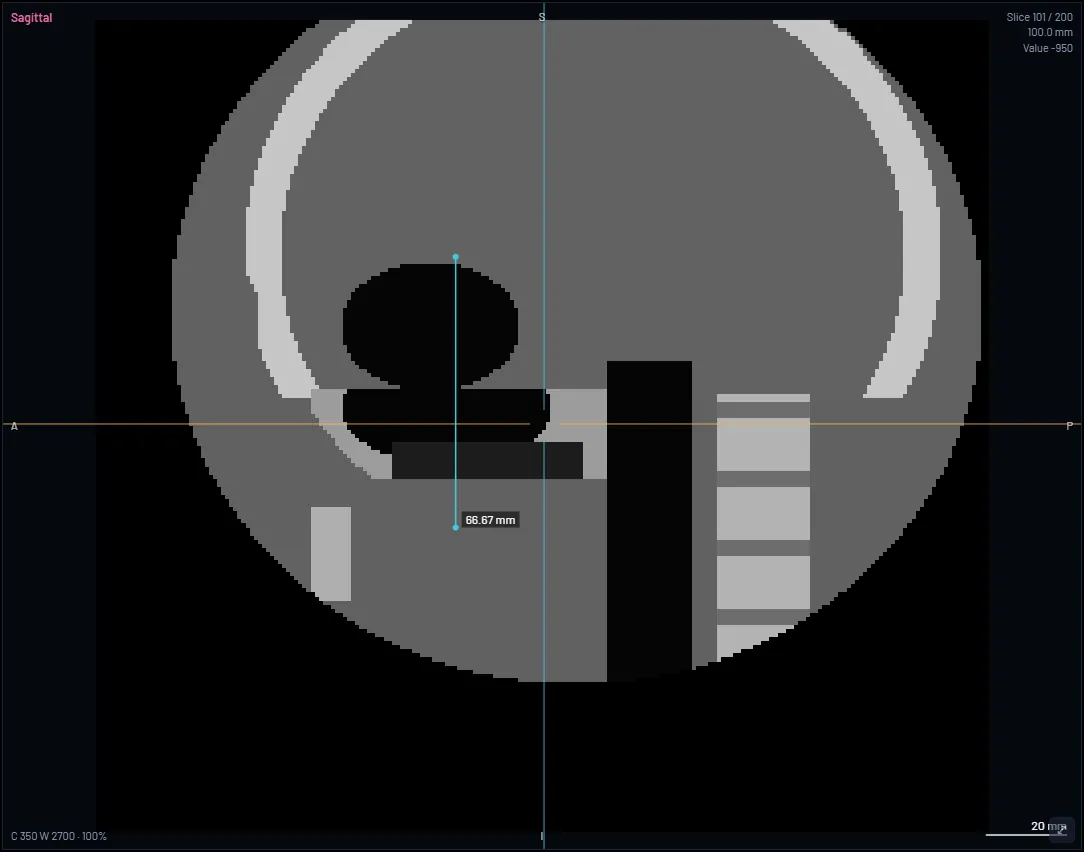
Two clicks for a length, three for an angle. Each measurement stays with its slice.
Zoom, pan and orientation
Zoom and pan each view. Flip left–right, front–back or up–down if the scan was exported the other way round.
Scan information
Size, voxel size and field of view of the scan you opened.
Slab views Plus and Pro
Combine slices up to 40 mm thick: brightest (MIP), average or darkest (MinIP), to follow roots and canals.
Panorama and cross-sections Plus and Pro
Click along the arch on the axial view to build a panoramic reconstruction, with cross-sections at right angles to the arch. Save both as PNG.
Screenshots and measurement list Plus and Pro
Save a screenshot of any view, and copy every measurement as text.
Synthetic cephalograms Pro
A lateral or PA image built from the whole scan at true size. Save it as a PNG and trace it in Simplified Ceph.
3D view and STL Pro
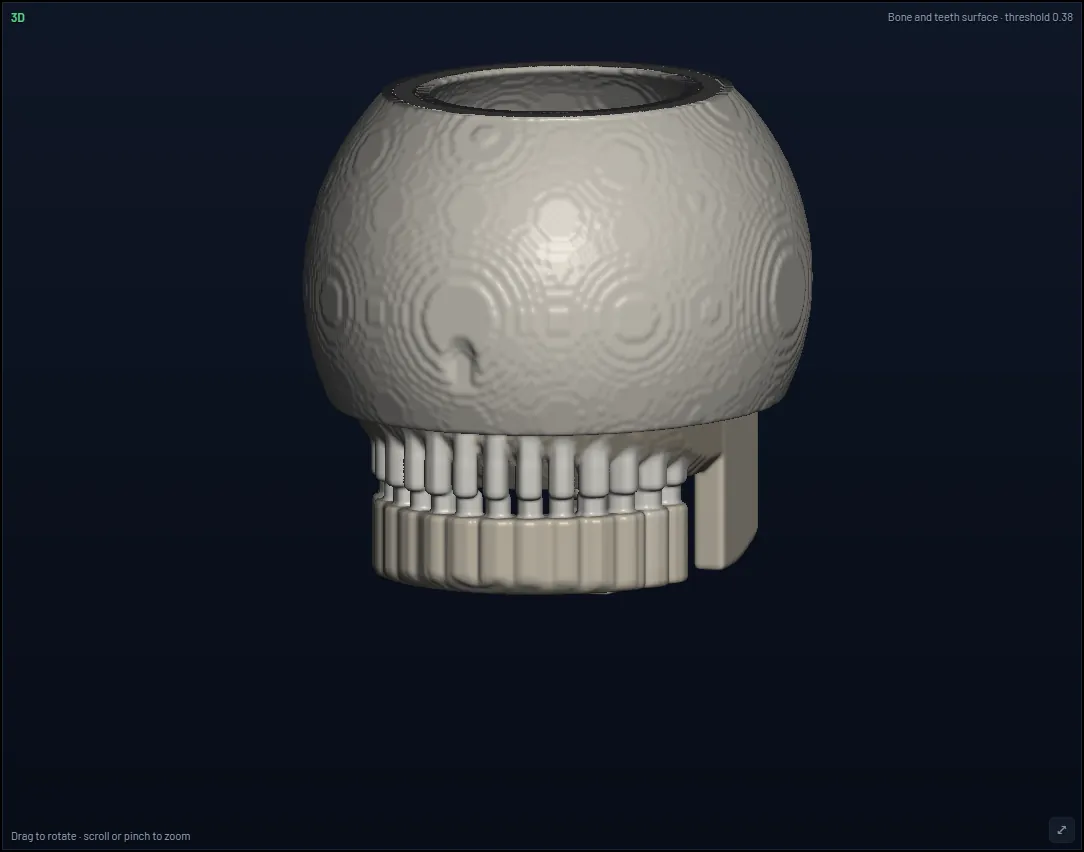
A bone and teeth surface, MIP or X-ray style. Fade the bone to see the roots, cut away to look inside, and export an STL surface.
CBCT gray values are not calibrated like hospital CT. Use them for shape and position, not for bone density. Very large scans need a computer with enough memory.
See it in use
Screenshots of the built-in demo scan. It is a computer-generated test object made of simple shapes, not a patient scan.
How it works
From the scan to the views you need in five steps.
- Export the scanAsk for uncompressed DICOM: a folder of files, a multi-frame file or a ZIP of the folder.
- Open itChoose Open DICOM folder, or drag the folder, file or ZIP onto the viewer.
- Find the sliceClick to move the crosshair. Scroll or use the slice bar.
- Set and measurePick a brightness preset, then measure lengths and angles.
- Go furtherBuild a panorama (Plus), or a synthetic ceph and the 3D view (Pro).
Questions
Is Simplified CBCT free?
Yes, there is a Free plan with the linked views, brightness presets and length and angle measurements. Plus adds more new scans a month, slab views, the panorama with cross-sections, and screenshots. Pro adds the synthetic cephalograms and the 3D view with STL export. The demo scan never counts as a scan. See the plans.
Is my scan uploaded?
No. The scan is opened and viewed in your browser, and it is not uploaded, even when you are signed in. When you are signed in, the Studio sends only a short code so that each scan is counted once for your plan. Privacy policy.
Which files can I open?
Uncompressed DICOM: a folder of single-slice files, one multi-frame file, or a ZIP of the folder. If your machine saved its own format or compressed DICOM, export the scan again as uncompressed DICOM.
Do I need to install anything?
No. It opens in the browser on a phone, tablet or computer. You can also install it like an app, and after the first visit it works offline.
Can I try it without a scan?
Yes. Open Simplified CBCT and choose Try the demo scan. It is a computer-generated test object made of simple shapes, not a patient scan.
What is Simplified CBCT for?
Viewing, analysis, education and research. It shows the scan and measures what you mark. CBCT gray values are not calibrated like hospital CT, so use them for shape and position, not for bone density. The readings support your clinical judgment and do not replace it. It is not a medical device.
The other tools in the Studio
One studio, five tools. Each one opens in the browser, works offline and has a free plan.
Try it on the demo scan.
Open Simplified CBCT and choose Try the demo scan. No sign-up needed.