
- Home
- Facial analysis
Free plan, no sign-up needed to try
Facial and smile analysis in your browser
Simplified Face measures frontal, smile and profile photographs. Calibrate the photo, place the landmarks, and read proportions, symmetry, the smile, the E-line and Legan-Burstone values next to published reference values.
- Photos open on your device
- Works offline
- Phone, tablet or computer
What it does
You mark the landmarks; the Studio measures them and shows each value next to its published reference value.
Analyses included
Ten analyses across the three views. Every one is on every plan, including Free.
Proportions
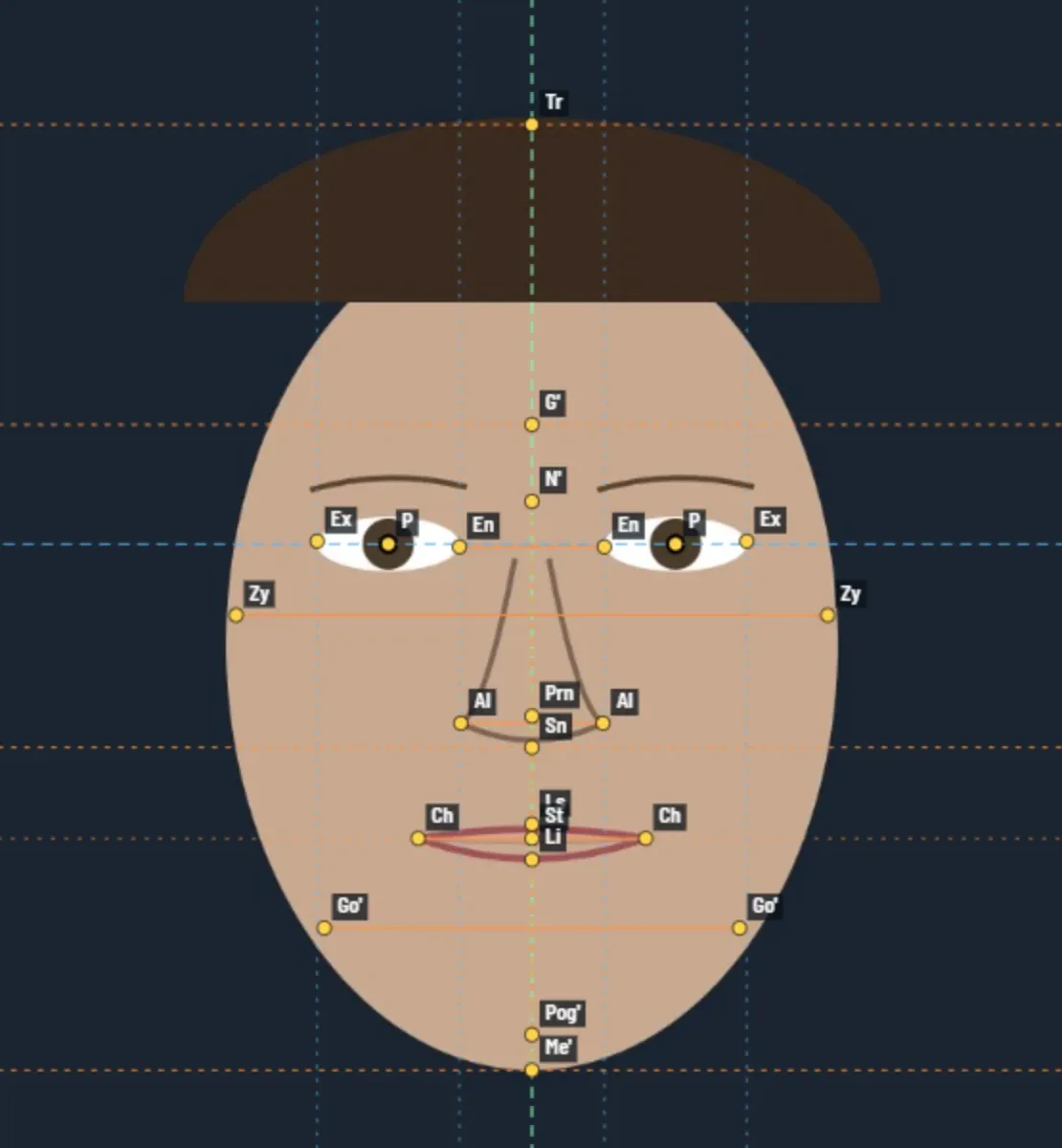
Frontal. Face height, the facial thirds, middle to lower third, upper lip share of the lower third, lip lengths and the facial index (Farkas).
Symmetry
Frontal. Nose tip, subnasale, stomion, chin and menton from the midline; lip cant; jaw angle heights; eye, alar, cheek and jaw widths side to side. Mirror composites of each half.
Widths
Frontal. Pupil distance, eye, intercanthal, nasal, mouth, face and jaw widths, and the ratios of the rule of fifths.
Smile display
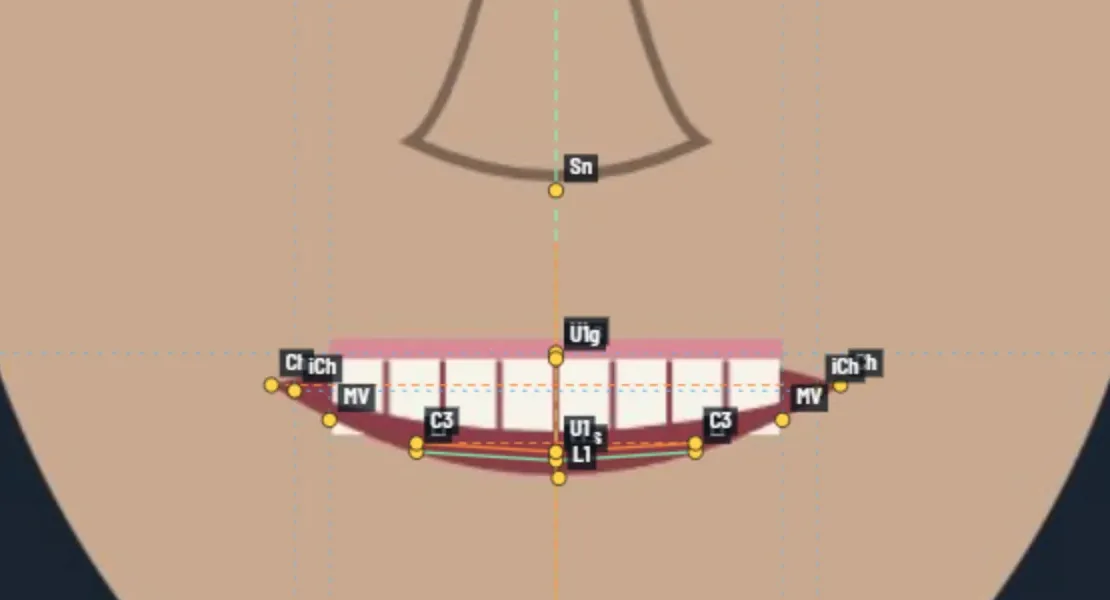
Smile. Upper incisor display, gingival display, visible crown height, interlabial gap, smile width and the smile index (Ackerman).
Smile arc and corridors
Smile. Incisal curve and lower lip curve, how closely they follow each other, and the buccal corridors on each side.
Midlines and cant
Smile. Upper dental midline to the facial midline and its tilt, incisal and commissure cant, commissure heights, chin position, and the lower midline to the upper.
Profile
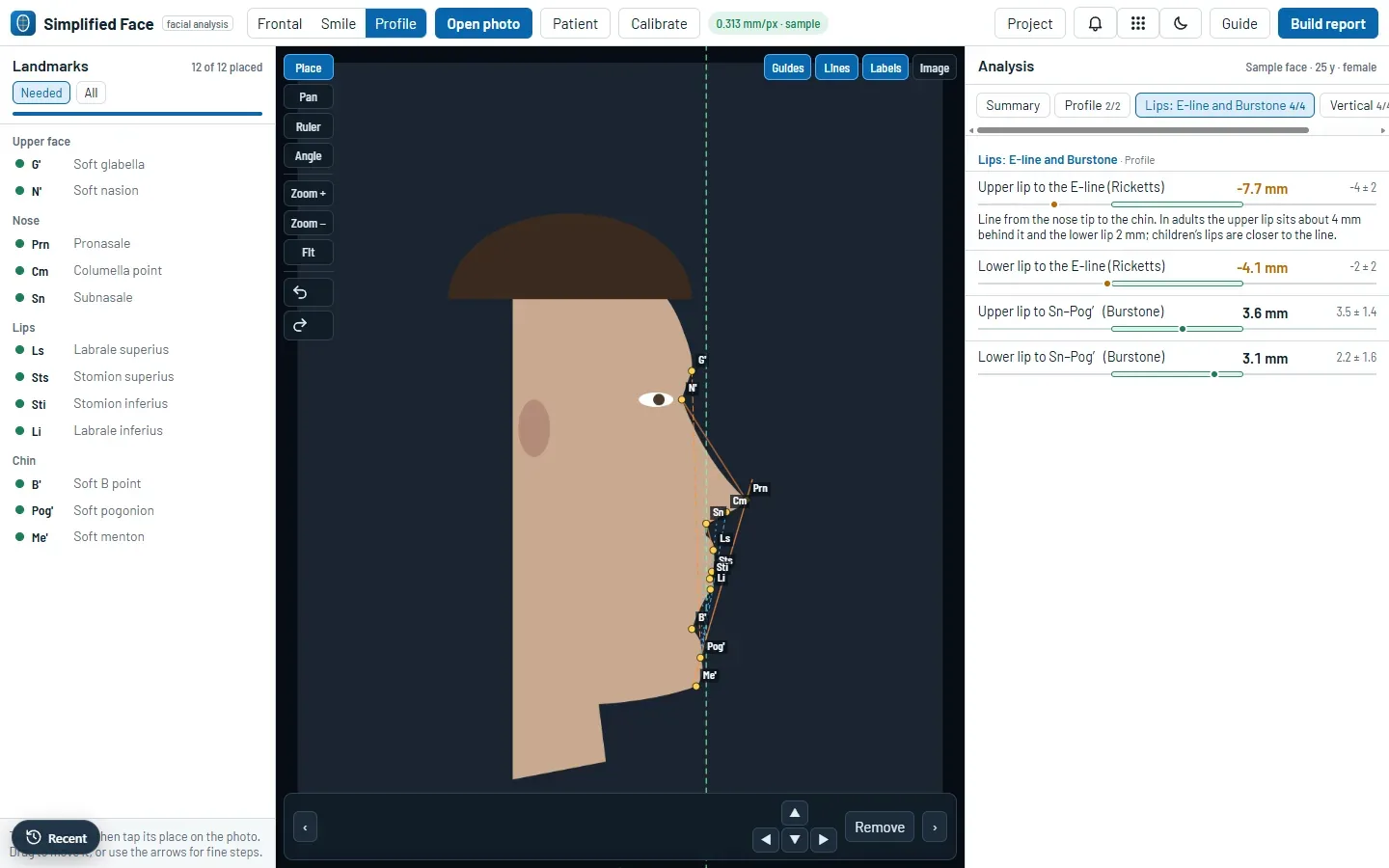
Profile. Facial convexity G′–Sn–Pog′ (Legan) and the nasolabial angle.
Lips: E-line and Burstone
Profile. Upper and lower lip to the E-line (Ricketts) and to the Sn–Pog′ line (Burstone).
Vertical
Profile. Lower third share of N′–Me′, upper lip length, interlabial gap at rest, and upper lip to lower lip and chin.
Chin
Profile. Mentolabial sulcus depth (Legan and Burstone).
Published reference values from Legan and Burstone, Ricketts, Farkas, and Ackerman and Sarver. They come mainly from adult samples of European descent and may not suit every patient or population. Sex selects the matching values where they differ. Plus adds your clinic logo to the report.
See it in use
Screenshots of the built-in sample face. It is a schematic drawing made of simple shapes, not a photo of a person.
How it works
From the photos to the report in five steps.
- Take the photosFrontal at rest, posed smile and profile, with the camera at eye height.
- Open themJPG, PNG or WebP. Level a tilted photo if you need to.
- CalibrateFrom the iris, the pupil distance or a ruler.
- Place landmarksTap a landmark in the list, then its place on the photo.
- Read and reportCompare each value with its reference, then print or save the report.
Questions
Is Simplified Face free?
Yes. The Free plan includes all three views, every analysis and the report. Plus adds your clinic logo to the report. See the plans.
Are my photos uploaded?
The photos open and are measured in your browser, and your work is saved on your device first. If you sign in, your cases, including the photos, are also kept in your private Studio cloud, so they open on your other devices. When you are signed in, the Studio also records that a new photo was opened, with a random number that says nothing about the photo. Privacy policy.
Which photos do I need?
A frontal photo at rest, a frontal posed smile and a profile in natural head position, as JPG, PNG or WebP. You can use one, two or all three.
Do I need to install anything?
No. It opens in the browser on a phone, tablet or computer. You can also install it like an app, and after the first visit it works offline.
Can I try it without a photo?
Yes. Open Simplified Face and choose Load a sample face. It is a schematic drawing made of simple shapes, not a photo of a person.
What is Simplified Face for?
Analysis, education and research. It measures what you mark and shows each value next to published reference values. Photo measurements depend on head position, camera distance and calibration. It does not score appearance. The readings support your clinical judgment and do not replace it. It is not a medical device.
The other tools in the Studio
One studio, five tools. Each one opens in the browser, works offline and has a free plan.
Try it on the sample face.
Open Simplified Face and choose Load a sample face. No sign-up needed.