
- Home
- Orthodontic practice management
Free plan, no sign-up needed to try
Orthodontic practice management in your browser
Simplified Practice keeps your patient files in one place: every visit with the wire and procedures for each arch, photos, X-rays and scans. Plus adds the schedule, follow-up lists and fees. Pro adds the finance page, more than one clinic and patient messages.
- Saved on your device first
- Works offline
- Phone, tablet or computer
What it does
One file per patient, from the first consultation to retention. You enter the records; the Studio keeps them in order and adds up the numbers.
Features
What Simplified Practice does, and which plan each part needs.
Patient files
Up to 10 patients on the Free plan, with no limit on Plus and Pro. Status, treatment stage, tags and a treatment timeline for each patient.
Diagnosis and plan
A tab for your own notes: examination findings, appliance, prescription, anchorage and retainers, written by you.
Treatment card
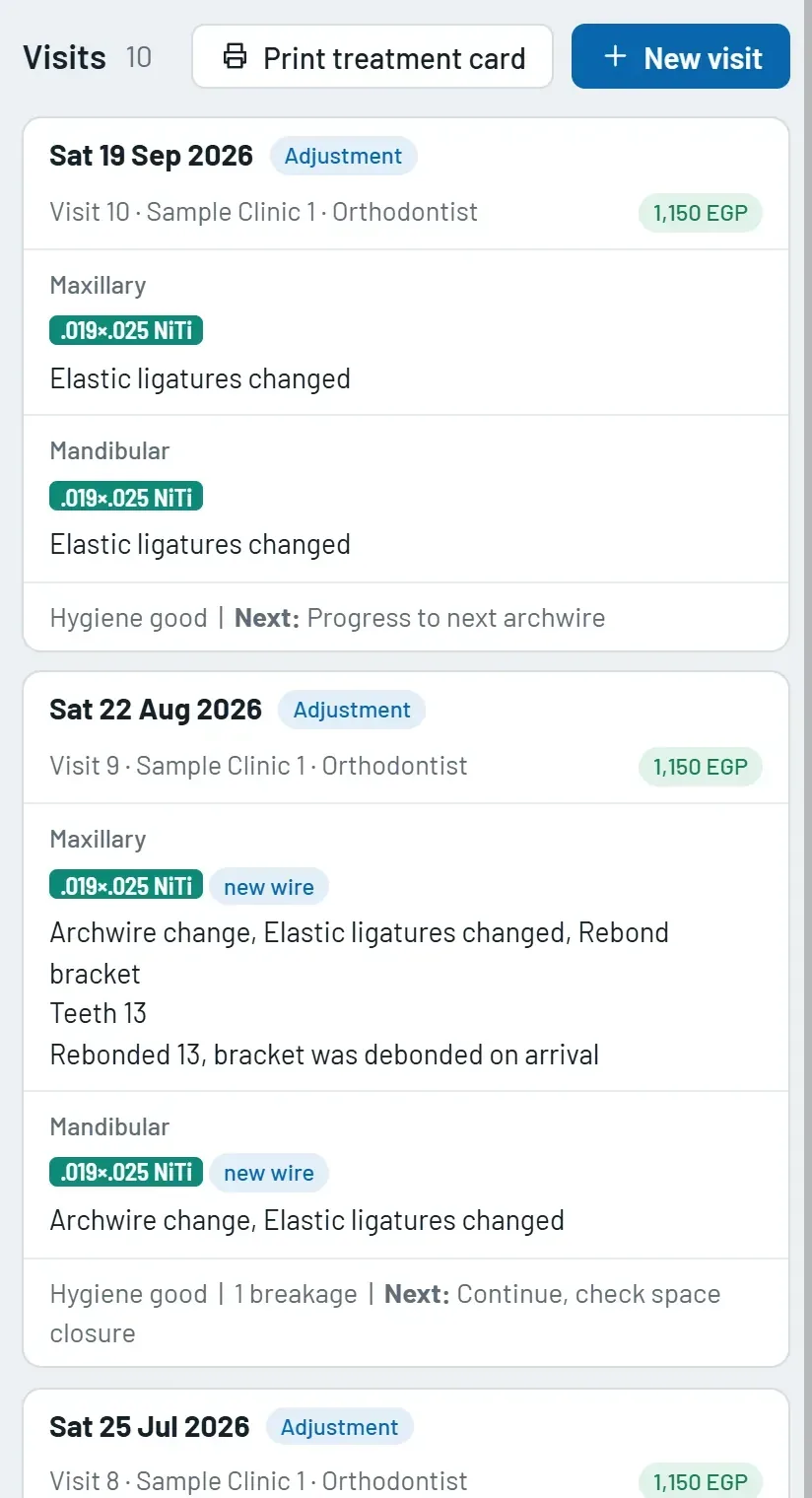
Every visit with the wire and procedures for each arch, and a chart of the archwire sequence over time.
Photos and X-rays
Record sets with photo and radiograph frames, documents, and a file manager with folders for each patient.
Dashboard
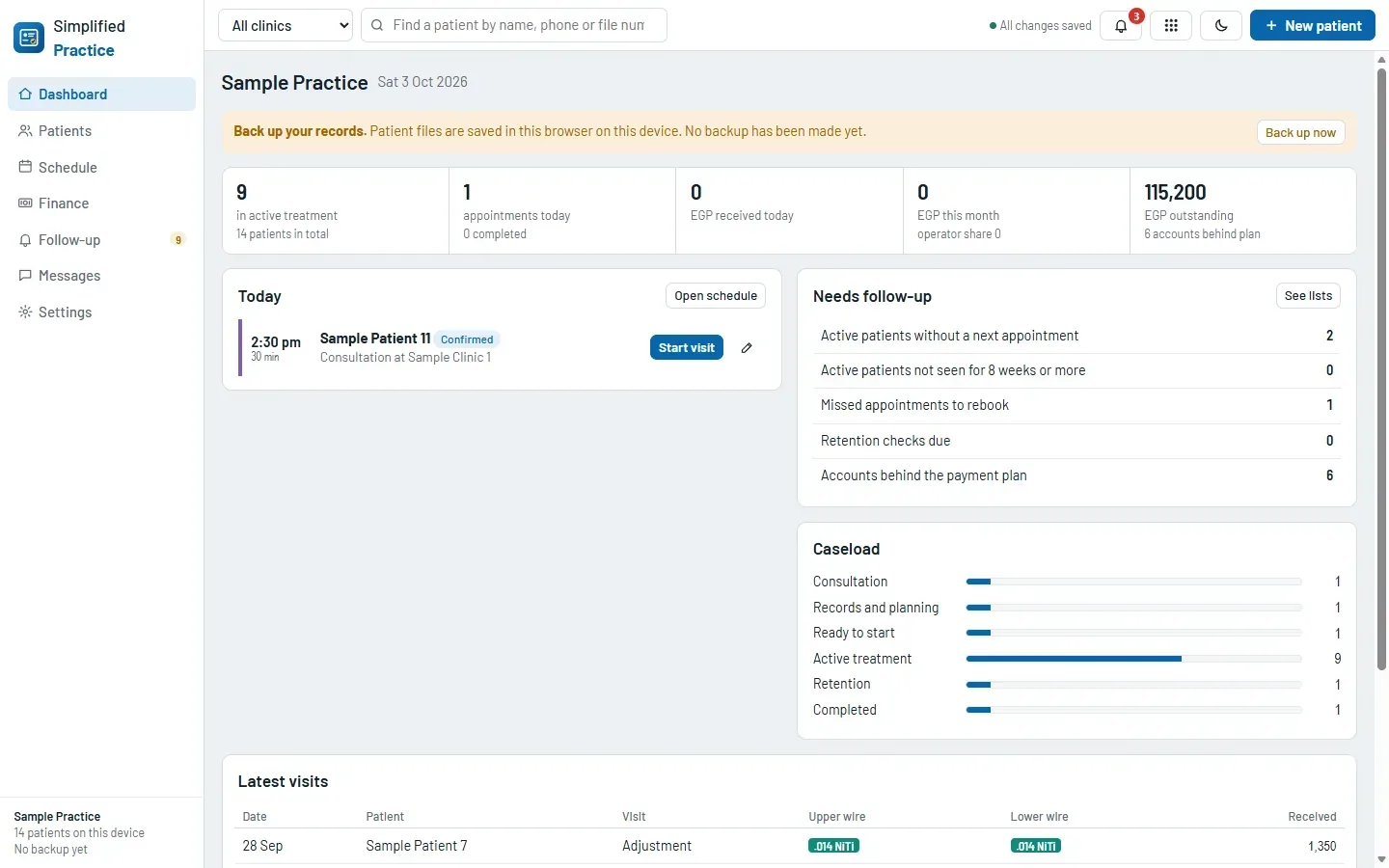
Today’s appointments, how many patients need follow-up, the caseload by stage and the latest visits.
Backup and restore
Save everything as one file, with or without images, and restore or merge it on another computer.
Your own settings
Your currency, FDI, Universal or Palmer tooth numbering, and your own lists of visit types, procedures and wires.
Schedule Plus and Pro
Day, week and month views, colours by visit type, and drag an appointment to move it. Reminders under the bell, and alerts on your phone if you sign in and switch them on.
Follow-up lists Plus and Pro
Patients with no next appointment, missed appointments, retention checks due, and accounts behind the payment plan.
Fees and payments Plus and Pro
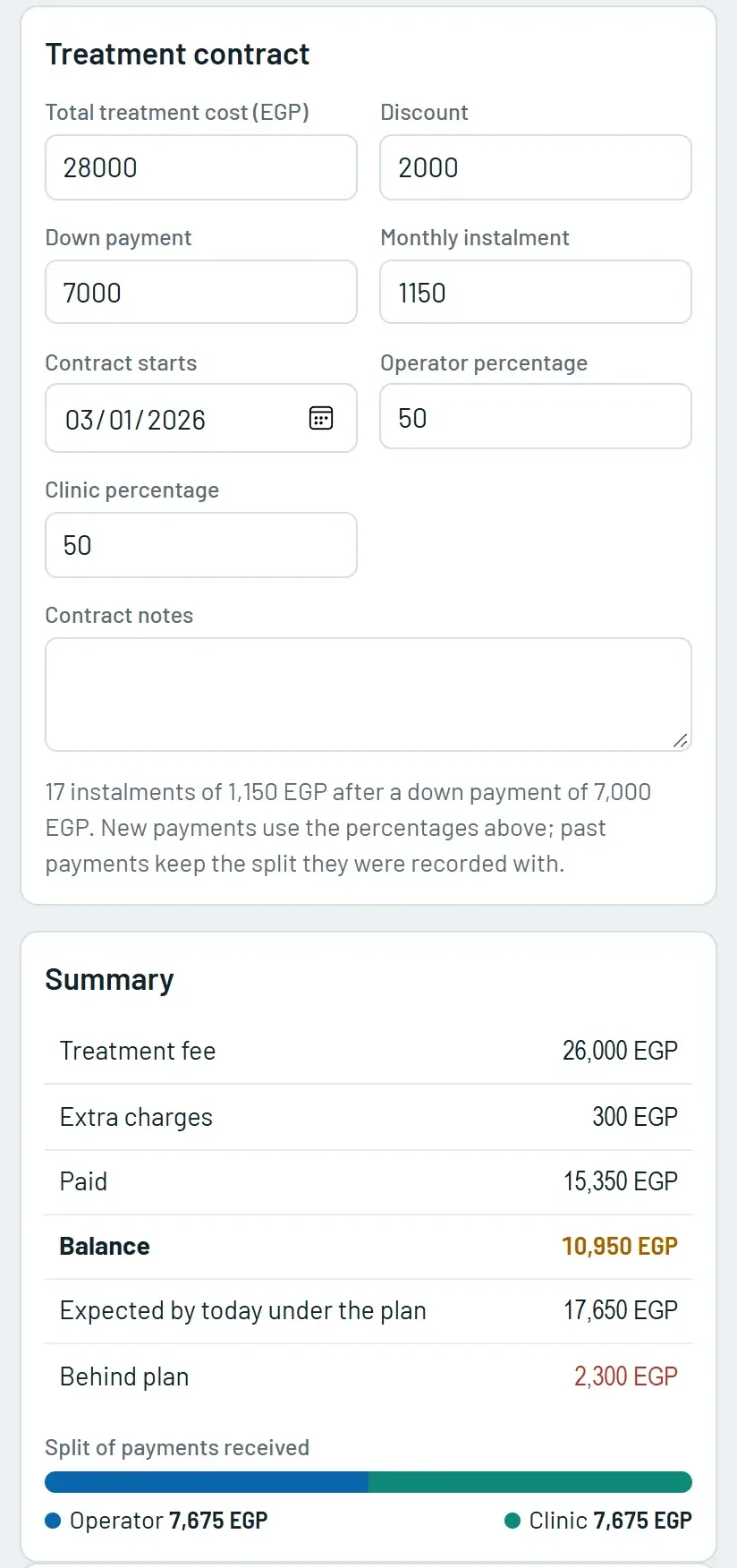
A treatment contract with discount, down payment and monthly instalments. Extra charges, payments, receipts and a statement for each patient.
Printing Plus and Pro
Photo composites, treatment cards and patient reports. Print them or save them as PDF.
STL scans Plus and Pro
Upper and lower arch scans in the patient file, with a 3D view.
Finance page Pro
Daily, monthly and yearly records, outstanding balances and expenses, with the operator’s and the clinic’s share of each payment. Export as CSV.
More than one clinic Pro
Add each clinic you work in, with its own share, and view one clinic or all of them.
Patient messages Pro
Give a patient a private link and a 4-digit code to send the clinic text messages. Set your clinic hours. Needs you to be signed in.
The fees tools record the amounts you enter and add them up. Amounts are shown in the currency you choose in Settings.
Where your records are kept
Patient records are saved in your browser first. What else happens depends on whether you sign in and which features you use.
Before you store identifiable patient information in your Studio cloud, make sure your patients have agreed to it. Backup files you save are under your control. Details are in the privacy policy.
See it in use
Screenshots of the built-in sample practice. The sample patients are made up, and their names were replaced with “Sample Patient” for these pictures.
How it works
From the first patient to a full practice in five steps.
- Set upOpen Simplified Practice and enter your name, clinic and currency, or explore the sample practice.
- Add a patientCreate the file, write your notes and plan, and add photos and X-rays.
- Record each visitThe wire and procedures for each arch, and the next step.
- Book and follow upBook the next visit and check who has nothing booked (Plus).
- Track feesSet the contract and record payments to see each balance (Plus).
Questions
Is Simplified Practice free?
Yes, the Free plan holds up to 10 patient files, with the treatment card, photos and X-rays, and backups. Plus has no patient limit and adds the schedule, follow-up lists, fees, printing and STL scans. Pro adds the finance page, more than one clinic and patient messages. See the plans.
Where are my patient records kept?
In this browser on this device. If you sign in, a copy is also kept in your private Studio cloud, so your records open on your other devices. When you are signed in, a short list of the next 14 days of appointments is also sent to our server for reminders. If you use patient messages, they are kept on the Studio server. Privacy policy.
Can I use it on more than one device?
Yes. Sign in on each device and your records follow you through your private Studio cloud. Without an account, save a backup file and restore it on the other computer.
Do I need to install anything?
No. It opens in the browser on a phone, tablet or computer. You can also install it like an app, and after the first visit it works offline.
Can I try it without my own patients?
Yes. Open Simplified Practice and choose Explore with sample data, or Load sample practice on the dashboard. The sample patients, visits and payments are made up.
What is Simplified Practice for?
Keeping patient files, visits, appointments and fees in order. It records what you enter and adds up the amounts. It does not make clinical decisions, and it is not a medical device.
The other tools in the Studio
One studio, five tools. Each one opens in the browser, works offline and has a free plan.
Try it on the sample practice.
Open Simplified Practice and choose Explore with sample data. No sign-up needed.